
In the Email size restriction page of Zerospam.eu you can set the maximum accepted size for incoming and outgoing emails.
- Log in to the Zerospam.eu Control Panel
- Navigate to Incoming – Protection Settings > Email size restriction:
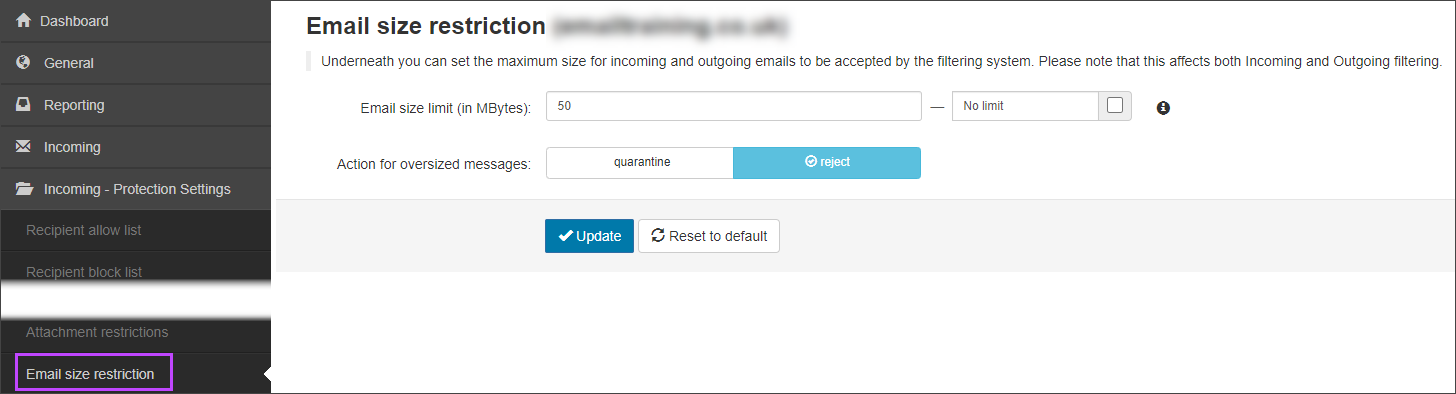
- Enter the email size limit or select No limit if you want to use the default size limit to limit the emails
The size limit must be below 2048 MB. The default size limit is 50 MB
- If you have set a limit, select the preferred Action for oversized messages. This can be either:
- Quarantine – Messages over the given size limit will be quarantined to be reviewed manually
- Reject – Messages over the give size limit will be rejected
- Click Update to save your changes