
Table of Contents
The Configuration tab, found in Mailboxes Overview/Configuration in the General section of Zerospam.eu Control Panel will show different settings:
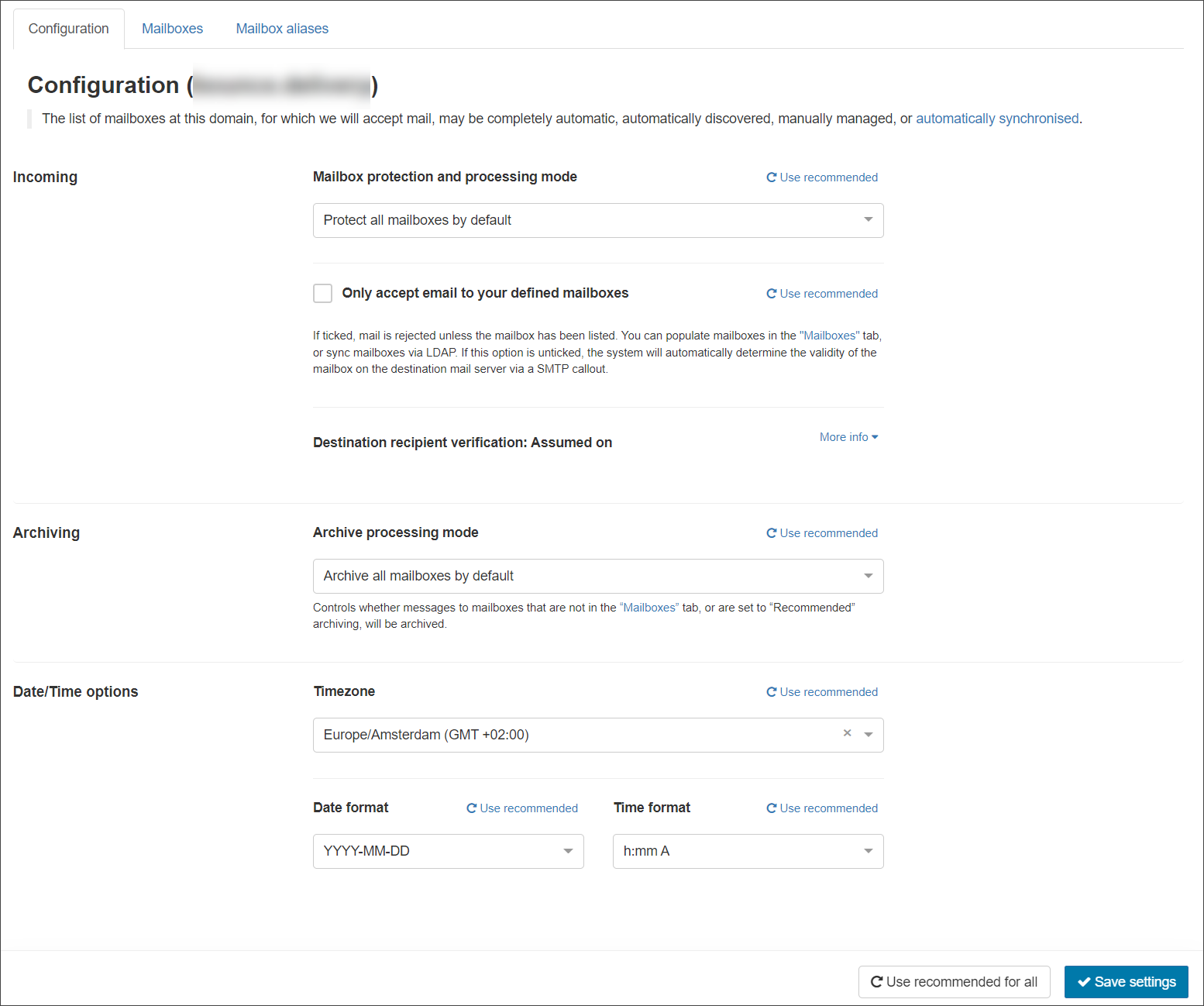
Incoming
Ensure catch-all mailbox behaviour is disabled on your mail server. If it is not and your domain is not set to reject emails to mailboxes that are not listed in the “Mailboxes” tab, you may be billed for more mailboxes than you expect.
- Mailbox Protection & Processing Mode – Control whether newly discovered mailboxes are filtered. The options for selection are:
- Protect all mailboxes by default
- Protect specific mailboxes only – you must manually enable filtering for each required mailbox
- Only accept email to your defined mailboxes – Control whether messages to mailboxes that are not listed in the Mailboxes tab, is rejected or accepted
- Destination recipient verification – This server check will run to determine if your destination server correctly applies recipient verification. You may re-run the check if you feel this is incorrect or to enable protection to prevent issues using the service with automatic mailbox population and with Email Scout Reports
Archiving
- Archive Processing Mode – Control whether messages to mailboxes that are not listed in the Mailboxes tab, or are set to “Recommended” archiving, will be archived. The options for selection are:
- Archive all mailboxes by default
- Archive specific mailboxes only – you must manually enable archiving for each required mailbox
Date/Time options
- Timezone
- Date format
- Time format